
RentMind
Rent, tenant & property tracking for landlords.
LiveKeep every property, tenant and payment in one calm place — and never miss a rent due date or a lease renewal again.
What RentMind does
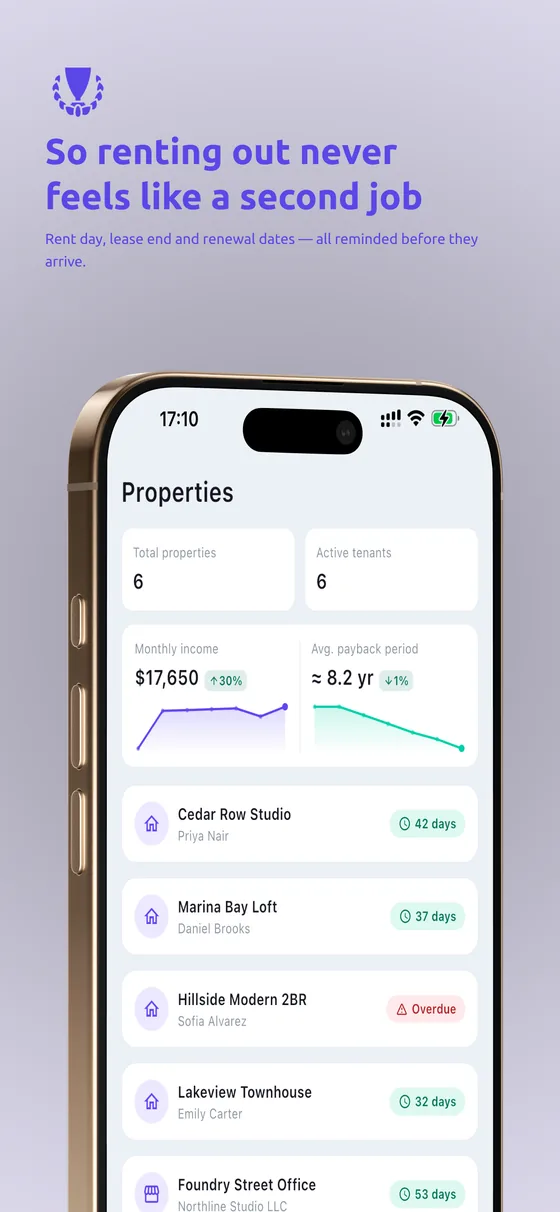
All your properties
Manage multiple properties and units from a single, tidy overview.
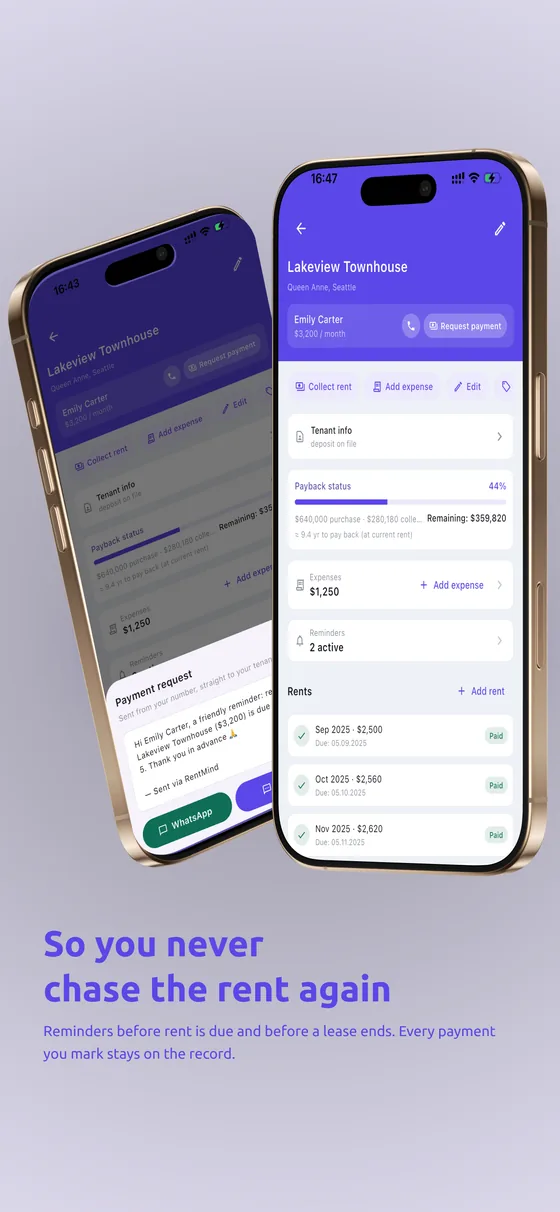
Never miss a date
Multi-step reminders for rent due dates and lease renewals.
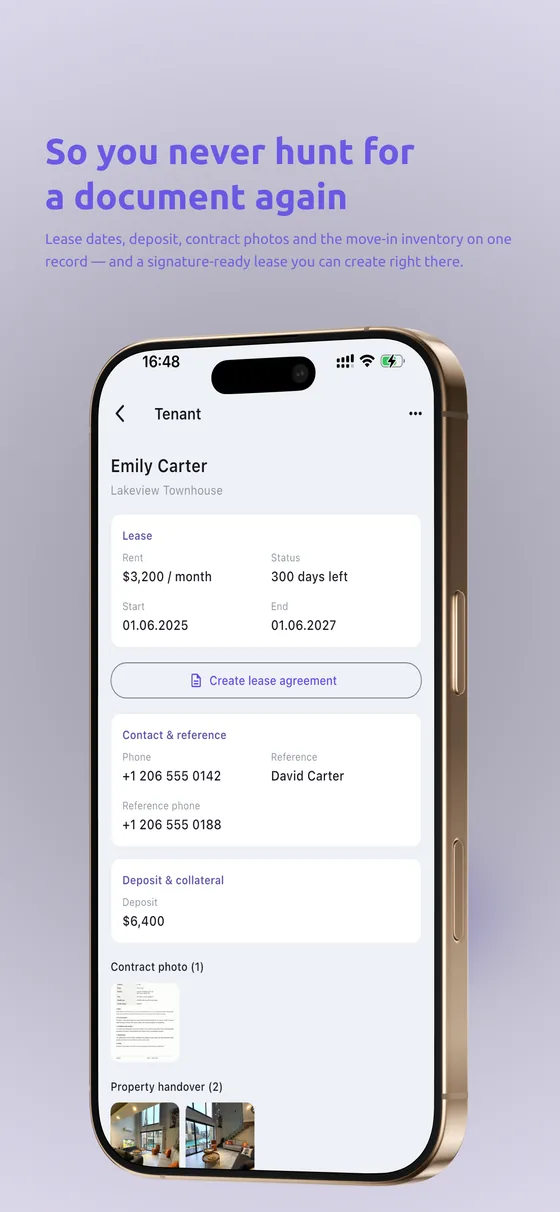
Tenants in order
Keep tenant details, contracts and history organized.
Payments & payback
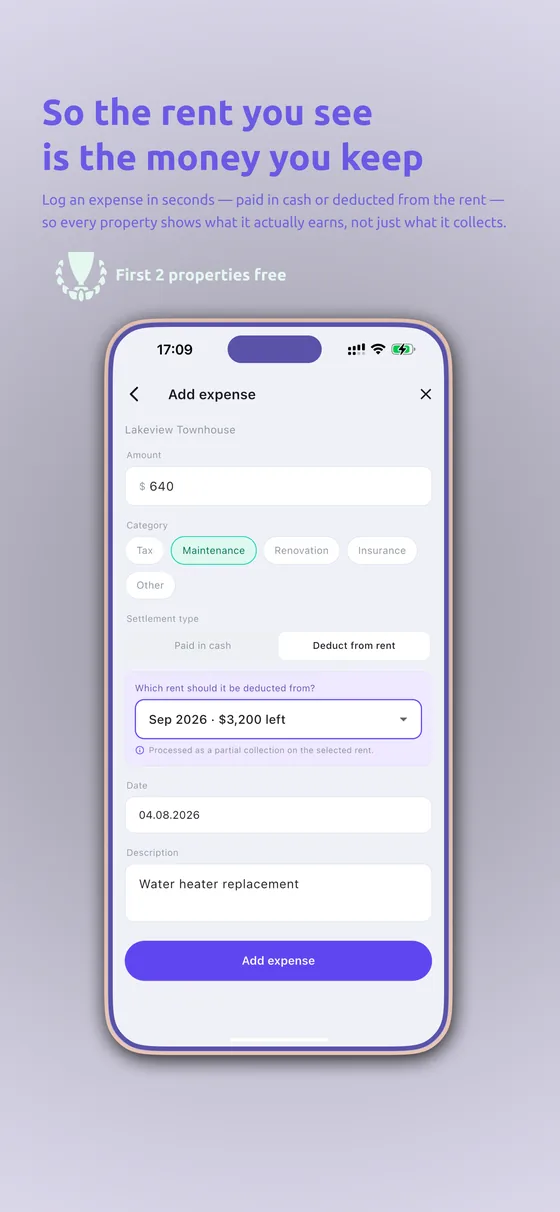
Track income and see your return on each property over time.
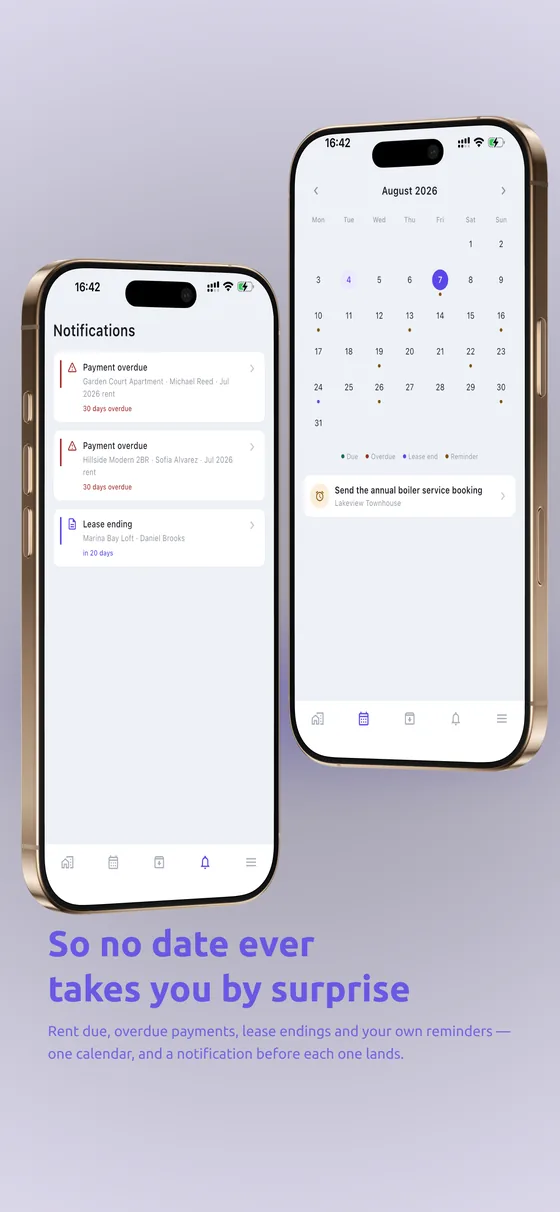
One calendar
See everything coming up across all your properties at a glance.
Why rent tracking stops fitting in your head
It starts with one flat. The rent day is known, the tenant is known, whether the money arrived is something you simply remember. With a second property the load doesn’t double — it multiplies: two rent days, two lease dates, two deposits, two sets of building charges, two tenant conversations. By the third property the system changes entirely: remembering stops working and records begin.
Most landlords learn that transition through a loss. A short payment surfaces months later. A lease renews silently and another year passes without the increase being discussed. What can be deducted from a deposit becomes an argument on move-out day, because nothing was written down on move-in day. None of that is carelessness — it’s the absence of a record, and keeping one costs far less than the loss.
RentMind is built for exactly that transition: move what you’re holding in your head into one calm place, let the dates count themselves, and leave one place to look when you ask “what happened this month”.
What happens when you add a property
1. Property and unit. Address and unit details go in; in a building with several flats each unit sits as its own line. As the portfolio grows the list grows, not the complexity — one tap reaches the property you want.
2. Tenant and lease. Tenant details and lease start and end dates are recorded. When a tenant changes, the old record isn’t deleted; it stays as the property’s history — who lived there when, and what was paid in which period, remains readable years later.
3. Rent day and reminders. Each property has its own rent day, and reminders are staged: before the day and on the day. “Was it today?” stops being a question — the reminder comes to you.
4. Payment record. Mark a payment when it arrives. An unmarked month simply stays there — and that is the quietest, most valuable behaviour in the system: the missing month shows itself.
5. Income and return. Recorded payments total per property, so what each one has returned over time becomes visible. With more than one property, this is the first real answer to “which flat is actually earning”.
6. One calendar. Rent days, lease endings and everything approaching sit in a single calendar. Five minutes with it at the start of the month is enough to keep the rest of the month free of surprises.
Who it’s built for
The one- or two-property landlord. The most common case. The goal isn’t elaborate management — it’s not forgetting: the rent day, the renewal, the deposit amount, and the documents in one place.
The landlord whose portfolio is growing. Past three properties the point where a spreadsheet breaks is predictable: the file lives on one machine, a broken formula goes unnoticed, and it doesn’t open properly on a phone. A record kept on the phone solves all three — and the dates now remind you by themselves.
Family or inherited property. Where several people own a property, the recurring argument is who received what and when. A written, dated record ends that conversation before it starts.
Agency staff and portfolio managers. Tracking the gap between collected and passed on to the owner asks more than plain rent tracking. RentMind holds the record side of that distinction: what was collected from which property and when, property by property and dated.
Spreadsheet or app: which, when
A spreadsheet isn’t a bad tool — most landlords start there and it works well for a while. It breaks at three points. Reminders: a table knows the date but never tells you, so the record stays dependent on your memory. Mobile: rent conversations happen on a phone; the file sits on a computer. Silent corruption: when a formula shifts or a row lands in the wrong place, the sheet doesn’t error — it just totals wrongly, and by the time anyone notices, months have passed.
If you haven’t hit those three, staying in a spreadsheet is entirely reasonable. If you have, the problem isn’t discipline — it’s the tool’s limit. We wrote both sides up in detail: tracking rent in Excel · free rent tracker template
Where your data lives
Everything you enter stays visible and editable — the app keeps no hidden ledger of its own. Rent and payment data belong to your account; in-app purchases and subscriptions run through the App Store and Google Play. The details are in the privacy policy, and account deletion is a one-step request on the account deletion page.
Getting started: the first fifteen minutes
Adding the first property takes a few minutes, but what makes the record useful is the first fifteen. In order: add the property and unit · enter the tenant and lease dates · set the rent day and amount · then mark the last three months of payment history retroactively. That fourth step is usually skipped and is the one that pays: as soon as history goes in, a pattern appears on screen — which month ran late, which came up short.
If you’ve never kept payment history, starting today is enough; the same pattern emerges on its own within three months.
Frequently asked questions
Is RentMind free? The first 2 properties are free. Beyond that there’s an in-app subscription; current pricing and terms appear on the purchase screen.
Can I manage several properties in one account? Yes — RentMind is built for multiple properties and units, each with its own tenant, rent day and payment history.
What happens to old records when a tenant changes? Nothing is deleted. The former tenant and that period’s payment history stay in the property’s history; the new tenant opens as a new record.
Does it work offline? Records are held on your device and sync when a connection returns; day-to-day use doesn’t require being online.
Which platforms is it on? iOS and Android. The store links are at the top of this page.
How do I get support? One address: hello@sofft.app
Read further
We write the method side of rent tracking on the blog — independent of the app, usable on paper too: how to track rent payments · how to screen tenants · what can be deducted from a deposit · lease agreement checklist · rent increase calculation
Try it on the web first — explore without signing up